


Getting started
Introduction
What Jot is, who it is for and how its pieces fit together.
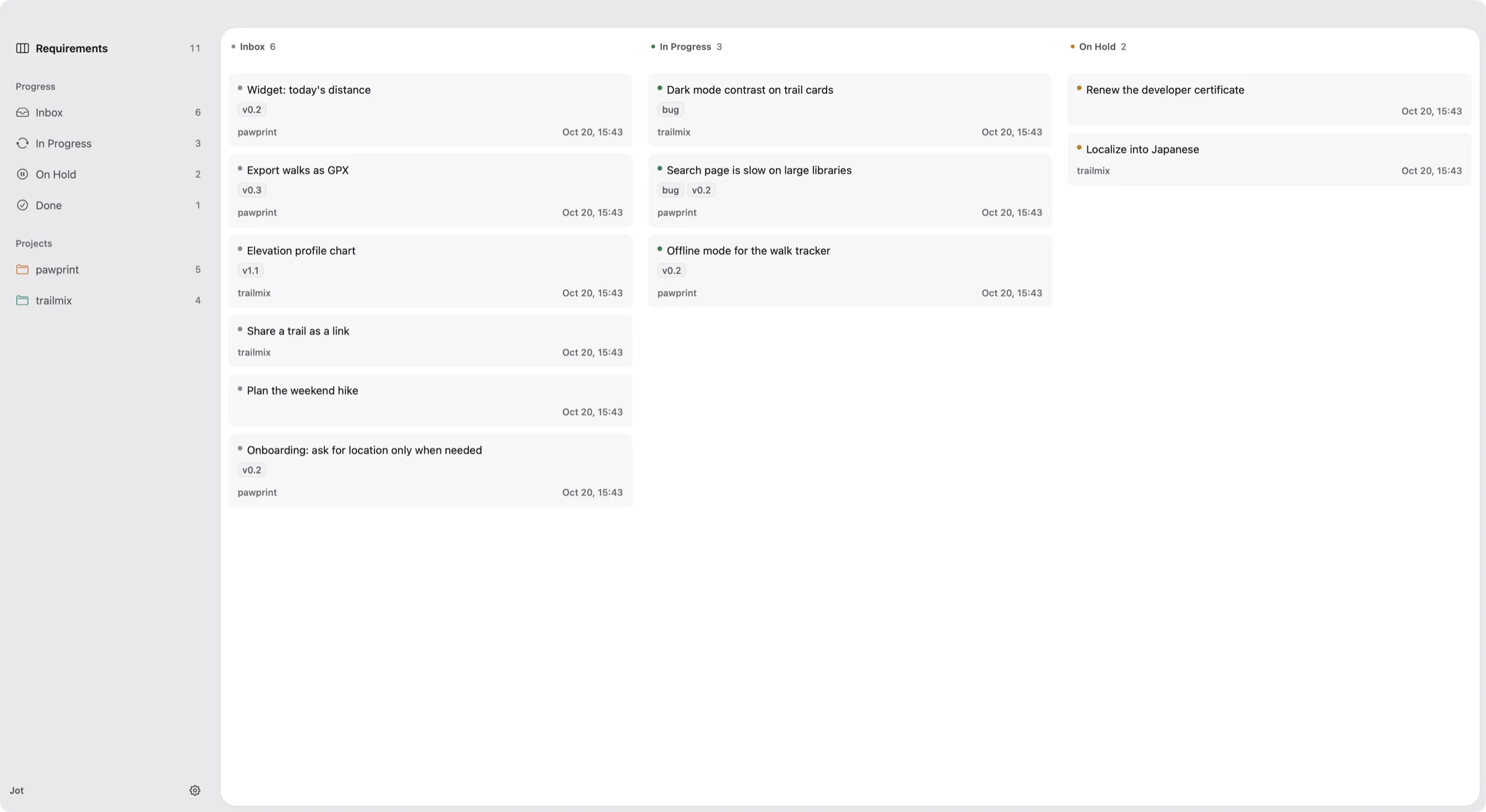
Jot is a local requirements board for one person and their AI agents. It keeps the requirements, ideas and to-dos that come up while you work — “the search page is slow”, “add GPX export in v1.2”, “renew the certificate” — and lets you move them from Inbox to Done.
Why Jot
Most of these thoughts appear in the middle of other work: in a terminal, in a code review, in a conversation with a coding agent. Opening an issue tracker costs more than the thought is worth, so they get lost. Jot makes capturing cheaper than forgetting:
- One line to capture.
jot add "Search page is slow"from any directory, or “note this down” to your agent. - Filed automatically. Inside a Git repository, the requirement goes to that project without asking.
- Progress on a board. A native macOS app shows what is in the inbox, in progress and on hold.
- Yours, on disk. No account, server or sync service: one SQLite file and one Markdown file per requirement.
The pieces
| Piece | What it does |
|---|---|
jot CLI |
The only thing that writes data. Every command has --json output for scripts and agents. |
| Jot.app | A SwiftUI board for macOS 14+. It calls the CLI bundled inside it, so it never disagrees with the CLI. |
| Agent skill | A SKILL.md that teaches Claude Code, Codex and other agents when and how to call the CLI. |
~/.jot |
The store: jot.db for metadata and history, reqs/ for the Markdown bodies. |
Concepts
- Requirement — one thing to do, with a title, an optional Markdown body, a state, an optional project and any number of tags.
- State —
inbox,in_progress,on_hold,doneorarchived. It records intent, set by you or by an agent you asked. See Workflow. - Project — an optional category, usually a Git repository, registered automatically on first capture. See Projects and tags.
- Tag — a free-form label such as
v1.2orbug, independent of projects. - Link — a pull or merge request bound to a requirement. See Pull requests.